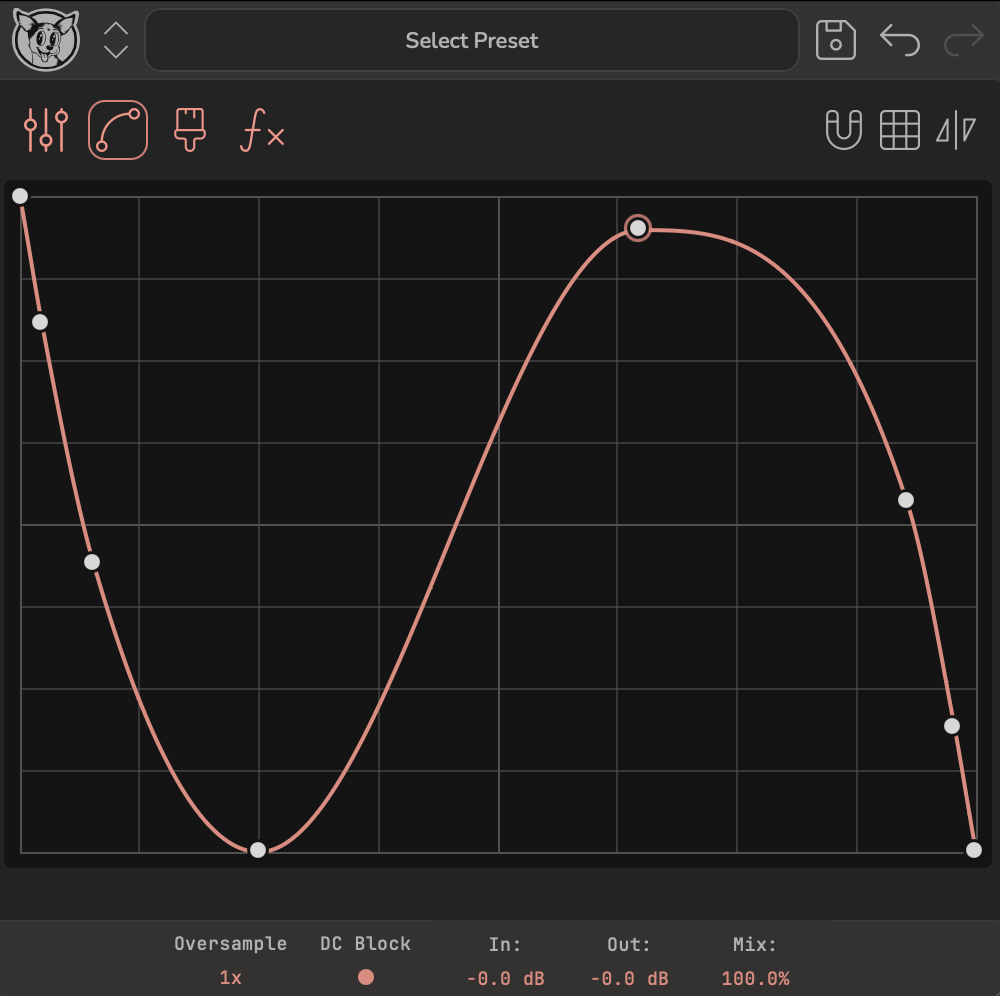
Clicking into the Spline editor fits the current curve using as few anchors as possible. Perfect reconstruction would take many anchors - but then adjusting them all becomes tedious. The core philosophy: transforming the sound with a few intentional movements is what makes a plugin feel like a magic wand, so the fit optimizes for fewer anchors with a reasonable match.
- Odd symmetry - the fit detects whether your curve is odd-symmetric. If it is, the mirrored-triangles icon lights up and dragging an anchor moves its opposite in mirror. Click the icon to disable it and adjust each anchor individually.
- Multi-select - drag to select a region of anchors, then move them as a group.
- Grid snapping - click the magnet for precise spacing; right-click to adjust the grid size and the visual strength of the grid.
- Gesture recording - click the dial icon, then drag an anchor to record a gesture. When the Morph dial moves, the anchor animates through the recorded gesture - automate it from your DAW or the internal modulators so the shape morphs over time or reacts to the input (see Modulation).