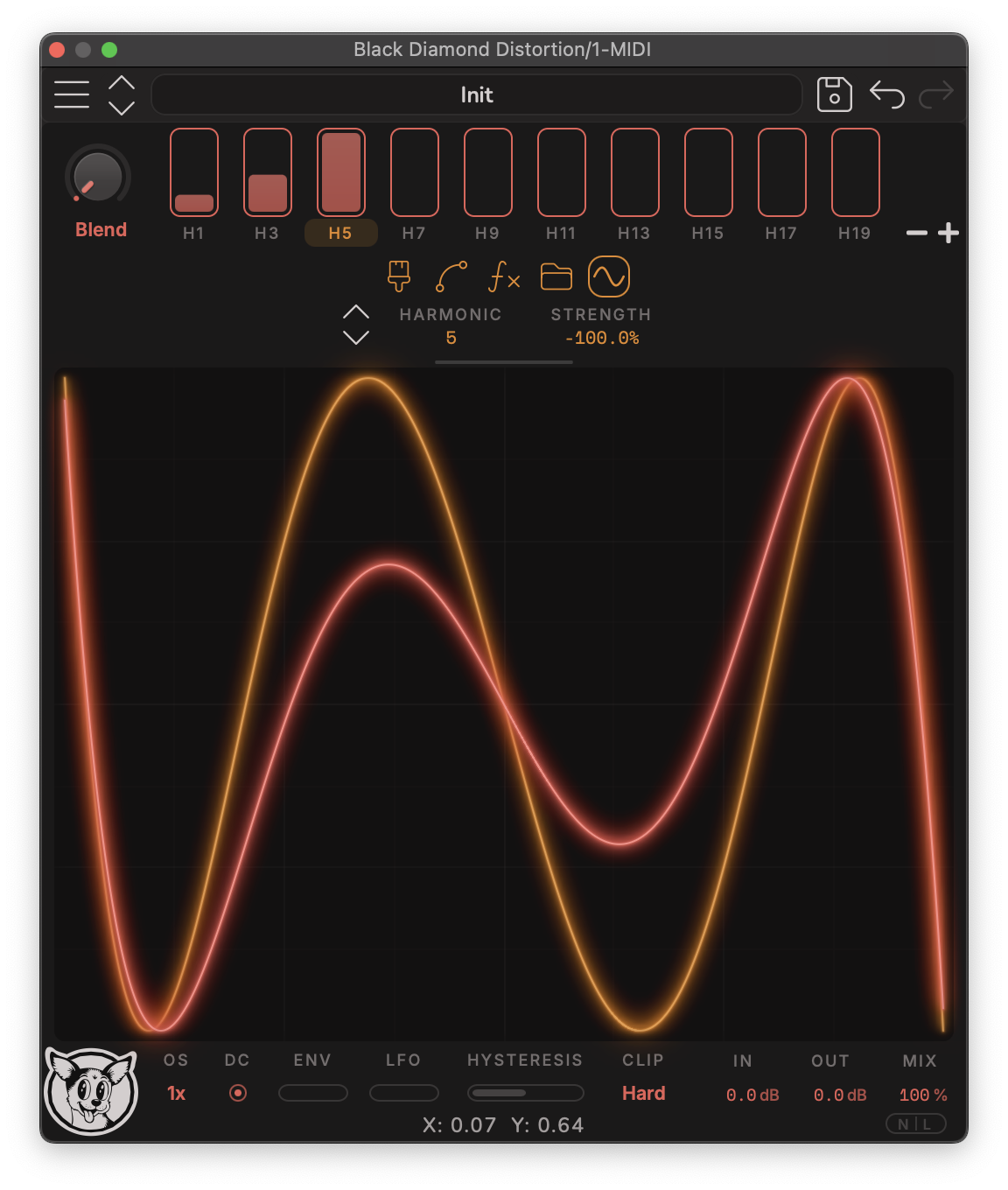
In Harmonic mode you select a harmonic, and the channel generates a curve designed to excite exactly that harmonic - the blend slider controls how much of it you add. Without any background knowledge it’s easy to get a usable sound by blending harmonics, but understanding how it works lets you be precise.
These shapes are derived by finding the transfer function that maps an input sinusoid sin(x) to
a harmonic like sin(3x). The mapping is defined for a 0 dB sine wave - at other input levels
and waveforms, additional harmonics get excited too.
Because this distortion is so sensitive to input level, experiment with enabling the auto-normalizer (NORM): it tracks your input’s envelope, compresses the signal so it hits the curve at a consistent level, then inverts the normalization at the output so your dynamics survive. If your input is close to a sine wave and you auto-normalize, you can dial in exact harmonics - and even play melodies by changing the harmonic. The full NORM story is in Gain Staging & DC Blocking.